
How to Reset a Smart TV Between Airbnb Guests
Many short-term rental hosts eventually run into the same problem: guests sign into their streaming services on the TV and forget to log out. Suddenly the TV becomes one more thing to manage between stays, especially when cleaners are expected to reset devices they did not set up in the first place.
Accounts remain logged in, recommendations get mixed between guests, and support requests increase when guests cannot find what they need. If you host on Airbnb or other short-term rental platforms, managing the guest TV experience can quickly become frustrating.
At a glance
- Smart TVs are built for one household, not rotating guests
- Guest accounts often remain logged in after checkout
- Standard Android TV apps cannot reset other streaming apps
- StayHost TV improves the guest-facing layer during beta
Why Smart TVs Are Awkward for Short-Term Rentals
Most smart TVs are designed for one household, not a rotating group of guests.
That creates a few common problems for hosts:
- Guest streaming accounts stay logged in after checkout
- Cleaners are asked to reset TVs between stays
- Remotes and interfaces vary between properties
- Guests accidentally purchase content on the wrong account
- Support messages increase when guests cannot find apps
Over time this creates unnecessary friction for both hosts and guests.
What Hosts Usually Do Today
Hosts often try a few different approaches to manage TVs in their rentals.
Manual resets
Some hosts factory reset the TV after each guest. This works, but it is time-consuming and unreliable.
Written instructions
Others leave instructions asking guests to log out before leaving. Unfortunately this depends on guests remembering to do it.
Streaming sticks
Devices like Roku, Fire TV, or Apple TV can help standardize the interface, but they still leave the logout problem unsolved.
None of these approaches were really designed for high-turnover properties.
A More Structured Guest TV Experience
This is exactly the challenge we are working to improve with StayHost TV.
Where Hosts Still Feel Friction
Even with careful setup, hosts still deal with account carryover, unclear navigation, and reset tasks between stays. Most TV platforms, including Android TV, do not allow normal third-party apps to control or reset other streaming apps on the device.
That means even a better guest experience still depends on guests signing out of their own services at checkout.
What Improves During Beta
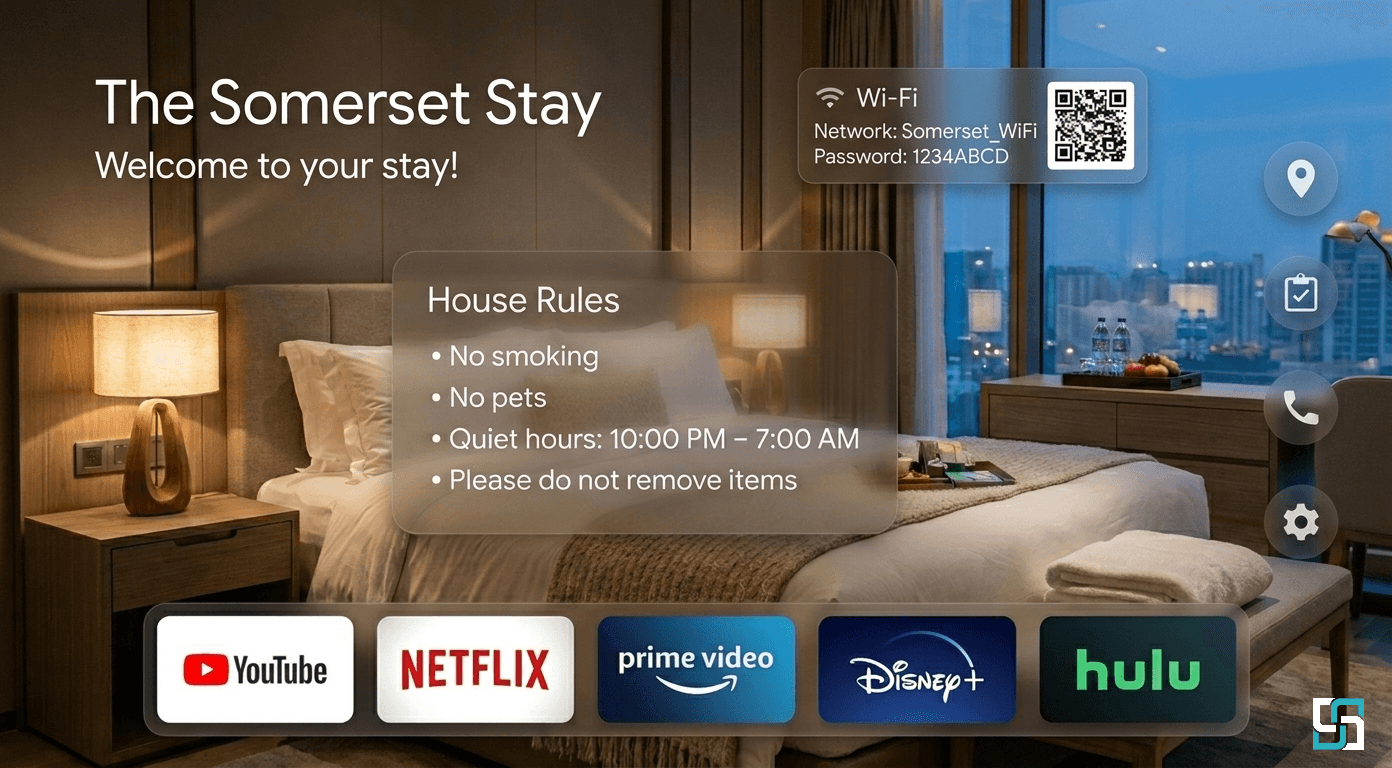
StayHost TV is an Android TV guest interface designed specifically for short-term rental properties. Instead of leaving guests inside a generic smart TV experience, the goal is to create a cleaner, more structured starting point for their stay.
It is built for short-term rental environments where turnover is frequent and clarity matters.
- A calm welcome screen guests can understand immediately
- A consistent interface across properties
- Simple navigation designed for short-term rental guests
- A foundation that can evolve with host feedback
Over time, we plan to explore ways to give hosts more control over the in-room entertainment experience while staying intentional about privacy and turnover.
Common Questions Hosts Have About Smart TVs
Many hosts search for solutions to problems like:
If you’ve searched for terms like these, you’re not alone.
- How to reset a smart TV between Airbnb guests
- How to remove Netflix accounts from a vacation rental TV
- How to stop guests from leaving streaming accounts logged in
- How to set up a TV for short-term rental guests
These questions come up frequently because standard smart TVs are designed for a single household, not for a rotating group of guests.
Become a Founding Host
We are currently inviting a limited group of hosts to help shape the StayHost TV beta.
If you host 1–5 properties and care about creating a better guest experience, apply to become a founding host.
FAQ
Do I need special hardware?
No. The beta runs on supported Android TV devices.
Will this automatically log guests out of streaming apps?
No. Standard Android TV apps do not have permission to control other apps on the device.
Why can’t Android TV apps reset other streaming apps?
Apps on Android TV do not have permission to control or clear other apps on the device.
When will the beta launch?
We are onboarding founding hosts in small groups and will reach out as we approach activation.